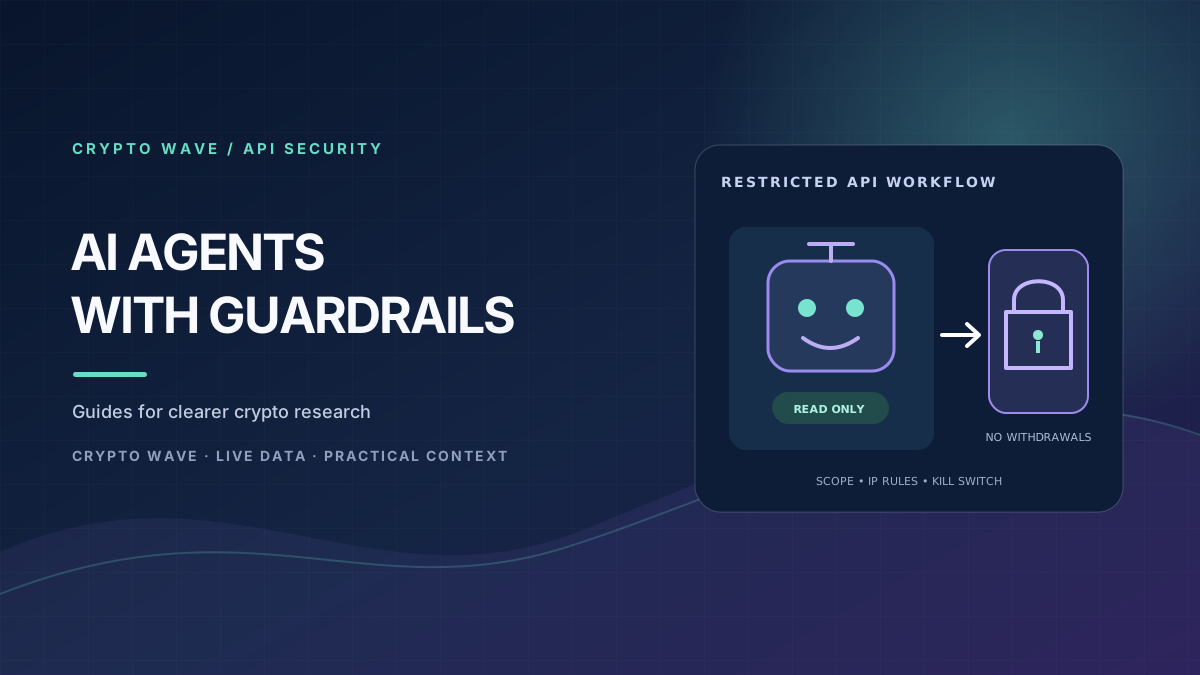
Connecting OpenClaw to the Binance API can let an AI workflow read public market data or, with additional code and permissions, submit exchange requests. Those are very different levels of access. A safer design starts with public or read-only data, uses a test environment for order-flow development, and keeps any live order behind narrow permissions and human approval.
The official documentation linked here describes Binance APIs and OpenClaw security features separately. It does not establish that Binance provides or endorses a specific OpenClaw trading connector. Treat a community plugin, skill or script as third-party software: inspect its source, pin and review dependencies, and test it before connecting an account. This guide focuses on architecture and controls, not a promise that an agent can trade profitably.
What an OpenClaw and Binance connection actually involves
OpenClaw runs agents and tools; Binance exposes API endpoints for market data, account information and exchange actions. A connector or custom tool sits between them. It translates a narrowly defined request—such as “read the current BTC/USDT quote” or “submit this approved order”—into an API call, then returns a constrained result.
Do not give an AI the API secret in a prompt or ask it to build signed requests directly in chat. The model should receive only the data and tool results needed for the task. Keep signing and exchange access in a separate, reviewed service with clear input validation, permission checks and logs that redact credentials. OpenClaw’s security model also warns that an agent is not a security boundary against its own operator or all untrusted inputs.
Begin with public market data
Binance documents public market-data endpoints that do not require private account access. Start by collecting prices, candles or order-book information without an API key, then ask the agent to summarize or compare the returned data. This separates research from account control and lets you test data freshness, symbol mapping, time zones, rate limits and error handling before an account is involved.
Check the symbol, quote currency, timestamp and endpoint response before the agent interprets a value. A delayed or incomplete feed can produce a confident but wrong summary. CryptoWave’s currency pages and WaveAI insights can provide research context, but neither should be treated as the source of truth for an order’s executable price.
Use least privilege for API keys
When account access is genuinely needed, create a dedicated API key and enable only the permissions required for that task. Binance documents separate API permission types, including account data and trading. Its Spot API guidance notes that trade permission is disabled by default and advises users to keep both key and secret private. For a monitor, use read access only. For an order workflow, enable trading only after the execution controls have been tested.
Do not enable withdrawals, internal transfers, margin or futures for a basic spot-trading agent. Restrict the key to trusted IP addresses where the integration runs, and use a separate key for each service or environment. This limits the scope of a leaked credential and makes revocation more targeted. Review permissions in the exchange account after setup and periodically thereafter. See Binance’s official Spot REST API security and permissions documentation.
Keep secrets out of prompts, logs and repositories
An API secret is effectively an account credential. Do not paste it into OpenClaw chat, a skill file, a public repository, a shared workspace, a URL, a screenshot or an error report. Do not let the model read the file that stores the key. Keep secrets in a managed secret store or a tightly permissioned service environment; ensure that transcripts, tool output and application logs cannot print them.
OpenClaw documents a SecretRefs feature for keeping supported credentials out of chat and model context. Use the official OpenClaw secrets guide to understand which surfaces it covers in your installed version. Secret storage reduces exposure but does not make a broadly permissioned key safe. Combine it with least privilege, IP restrictions, limited tool access and a rotation plan.
Develop in a non-production environment
Build and exercise the connector against Binance Spot Testnet where the product and workflow you need are supported. Keep test and live credentials separate, label them clearly, and verify which base URL and key are active before every run. Testnet responses and simulated balances do not prove production execution, liquidity or behavior under real market conditions. Binance’s documentation explains the available environments and publishes Spot Testnet terms; confirm current limitations before relying on it.
Test failure cases, not only successful calls: invalid symbol, stale quote, partial fill, timeout, rate-limit response, rejected order, duplicate request and process restart. If an order request times out, do not blindly retry it; first query the exchange for the order’s status, because a delayed response does not always mean the exchange rejected the request. Handle rate limits with backoff and log a traceable order ID without recording secrets.
Put a human approval gate before live execution
A market summary can be generated automatically; a live order should require a separate, explicit approval step. Show the market, side, quantity, order type, price limit, estimated notional and maximum possible loss before approval. Reject free-form model instructions that exceed configured caps. Use an allowlist of symbols, daily notional and order-count limits, and a maximum position size. The execution service—not the language model—should enforce these rules.
Include a kill switch that stops new requests and cancels open orders where appropriate. Define what happens if the market-data stream goes stale, OpenClaw disconnects, an API call errors or an unexpected order appears. Alert a human, pause the strategy and require review before restarting. Monitor fills and balances against the exchange’s own history; do not infer that an order succeeded just because an agent said it did.
Protect the agent from unsafe instructions
Market feeds, copied strategy descriptions, web pages and chat messages are untrusted input. They can contain instructions designed to manipulate an agent into revealing a credential, calling an unintended tool or changing a strategy. Treat retrieved text as data, not authority. Keep trading tools separate from browsing and message tools, restrict which agent can call the executor, and require structured arguments that the server validates.
OpenClaw’s official network exposure guidance recommends keeping its Gateway local unless access is protected and deliberately configured. Do not expose an unauthenticated control surface to the public internet. Review tool permissions and network access whenever you add a plugin or agent.
A practical rollout checklist
- Confirm the connector’s source, maintainer, dependencies and supported API version.
- Start with public market data; validate timestamps, symbols and rate-limit handling.
- Use testnet for supported authenticated workflows, with separate credentials.
- Use a dedicated key with only necessary permissions and trusted-IP restrictions.
- Store secrets outside prompts, transcripts, source files and agent-readable paths.
- Require human approval, hard limits, monitoring and an accessible kill switch.
- Revoke the key immediately if exposure or unexpected activity is suspected.
CryptoWave’s Binance profile and exchange directory are informational references, not endorsements of an API integration. Keep AI-generated analysis separate from the authority to move funds. This article is educational; APIs, permissions and OpenClaw behavior can change, so verify the current official documentation before deployment.